Your Data Request
Some TEF-Health services give you access to health data held by a hospital, a registry or a data warehouse. Before a provider can tell you whether the data you need exists, and what it would cost, they need to know what you are asking for.
That is what the data request form collects. You fill it in once for your product. Every provider you engage for that product reads the same answers, so you never write the same specification twice.
If you are applying through a Call
When a service you select on your application might involve access to health data, the application form opens a Data you need section under your services. It asks the same questions as the data request form. Fill it in and save the application as usual.
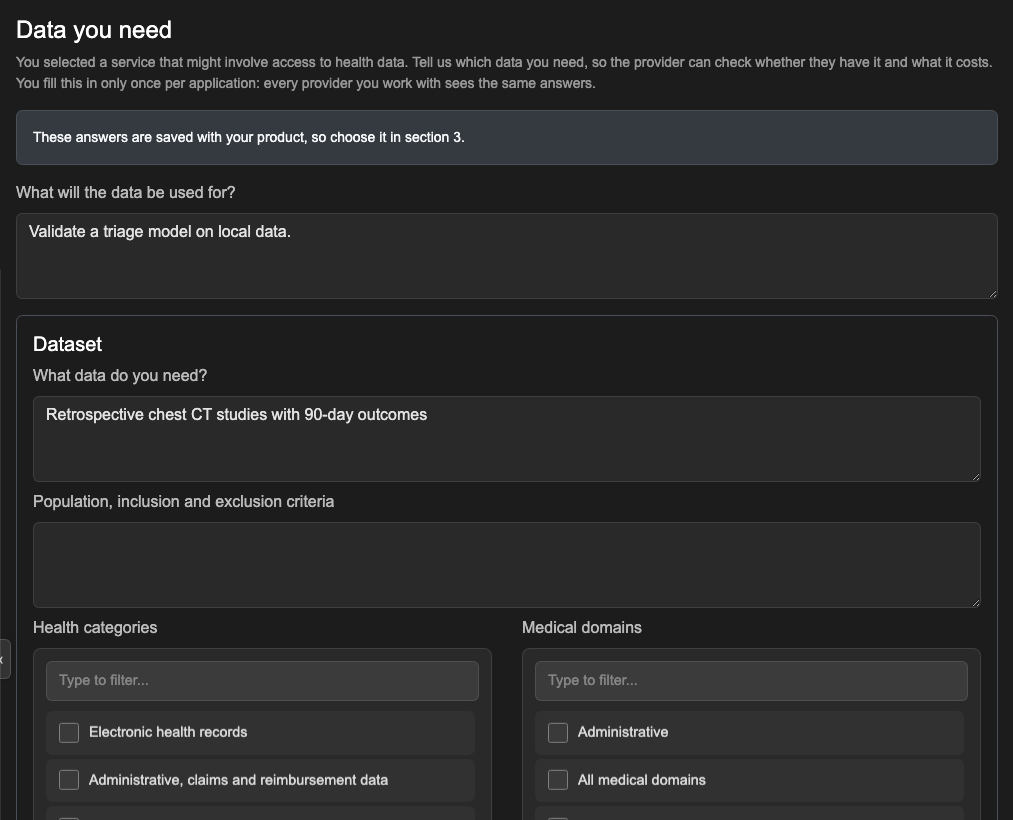
Your answers are kept with your product, so choose it in section 3 before you save. When you submit the application, your data request is submitted with it and the Front Office will not send you the form again. You can still change your answers later through My data request.
How you get the form
If you did not answer on an application, the Front Office sends you a link by email. Nothing is sent automatically: a person reads the message before it goes out.
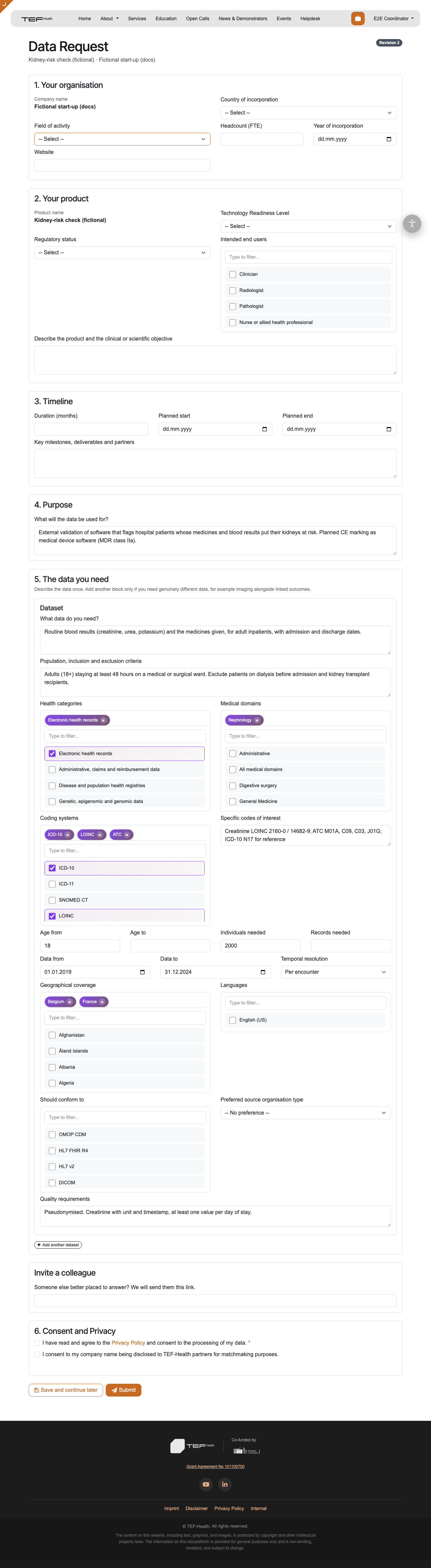
The link works without logging in, so you can forward it or open it on any device. If you have a portal account, the same form is at My data request (/my/data-request).
Lost the email?
Ask your Front Office contact to send it again. The link does not change, so anything you already filled in is still there.
What it asks
The form has five sections, and it only asks for what we do not already hold. If you applied under a Call, most of the first four sections are already filled from your application and shown as read-only. A fast-track customer sees more fields, because we know less.
| Section | What it covers |
|---|---|
| 1. Your organisation | Company name, country, size, field of activity |
| 2. Your product | What it is, its regulatory status, its readiness level, who uses it |
| 3. Timeline | Duration, planned start and end, key milestones |
| 4. Purpose | Why you need the data: the research question or clinical objective |
| 5. The data you need | The dataset specification itself |
Section 5 is the one that matters most to a provider, and the one only you can answer.
Describing the data you need
The form opens with one dataset block. Most projects need only that.
Fill in a second block only when you need genuinely different data. A good test: if the two would have different time resolutions, different coding systems or different populations, they are two datasets. For example, retrospective chest CT studies and the linked 90-day outcomes for the same patients are two blocks; one block cannot hold two temporal resolutions.
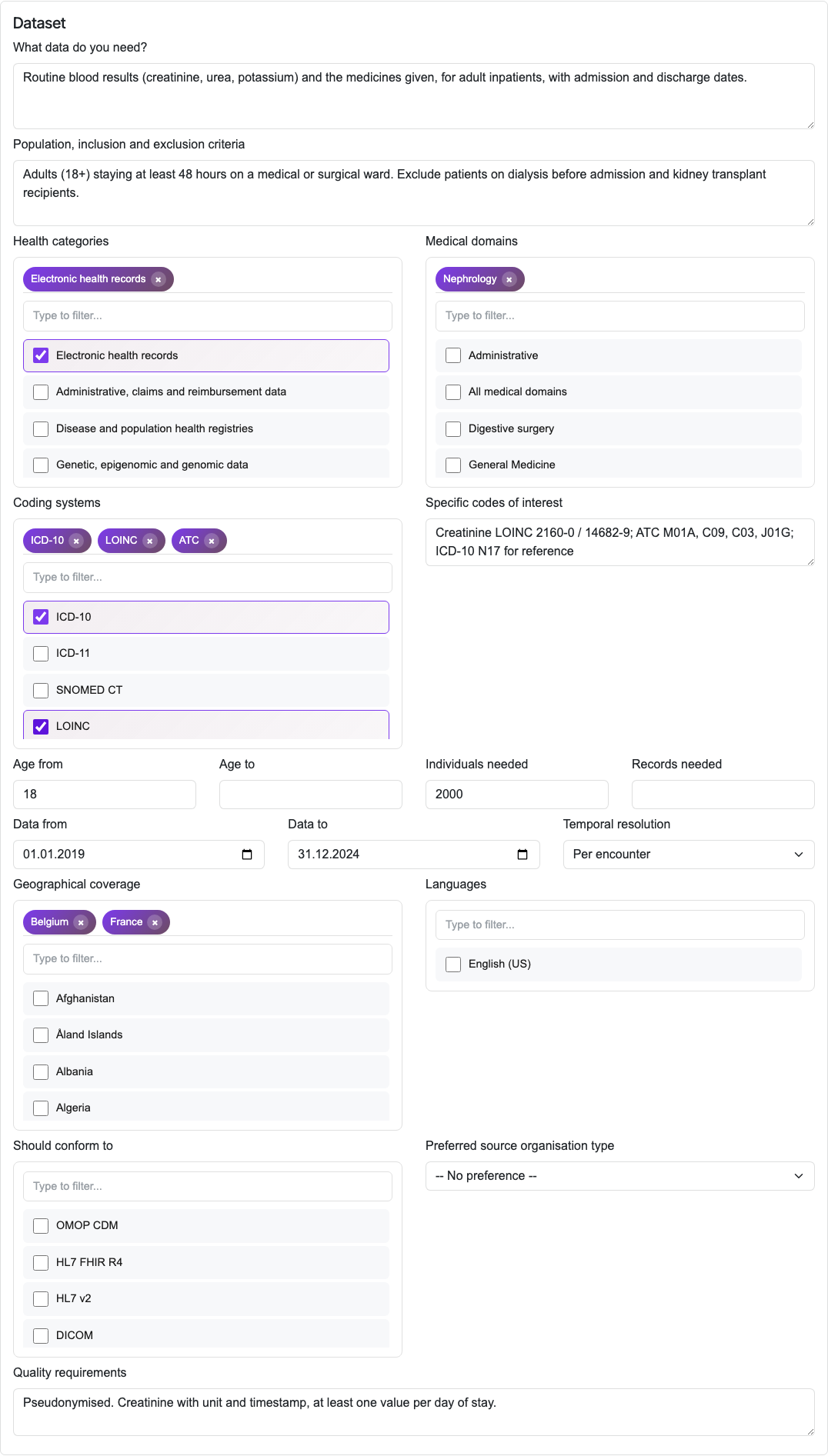
What each field is for:
| Field | What to put in it |
|---|---|
| What data do you need | Plain prose. Modality, source, anything a clinician would need to picture it |
| Population | Inclusion and exclusion criteria. Be specific about age, diagnosis and time window; this determines whether the data exists at all |
| Health categories | The broad EHDS category. Pick every one that applies |
| Medical domains | The clinical area, such as Cardiology or Oncology |
| Coding systems | ICD-10, SNOMED CT, ATC and so on, if your pipeline expects a particular one |
| Specific codes | The actual codes you care about, as free text. There is no picker: no usable list covers all of ICD-10 |
| Individuals and records needed | Your minimum viable cohort. Providers use this first when judging feasibility |
| Data from / to | The period the data should cover |
| Temporal resolution | How often a value is recorded: annual, monthly, per encounter |
| Should conform to | OMOP CDM, HL7 FHIR and similar. Leave it empty if you have no constraint |
| Quality requirements | Completeness, annotation or validation the data must meet |
Do not guess to fill a box
An empty field is more useful than an invented number. Providers read a specific cohort size as a real constraint.
Saving and coming back
Save and continue later stores everything and keeps the link live. Cohort details usually need a colleague or a protocol to hand, so most people fill this across two sittings.
Only Submit shares your answers with the providers.
Getting a colleague to help
The form has an Invite a colleague field. Put in their address and they get the same link. This is the right route when your data protection officer or clinical lead should answer Section 5.
We only ever mail the people registered on your request and anyone you invite here. We never mail your organisation's other staff.
Who reads your answers
The form names them. Providers with a live engagement for this product read your specification; a provider whose engagement was cancelled does not.
You confirm this sharing with the consent checkbox before submitting.
When your needs change
If you engage a new provider later, we ask you to confirm the specification still holds rather than making you rewrite it. Update anything that changed and submit again.
Your earlier version is kept, not overwritten. That matters when a provider quoted against the old specification: both of you can see exactly what changed and when.