Joining the network
TEF-Health customers are companies developing AI and robotics solutions for healthcare, and they come to the Service Catalogue looking for testing, validation, clinical, regulatory and data services. If your organisation offers services like those, you can provide them through TEF-Health without being a consortium partner.
This page is the route in. If your organisation is already a TEF-Health consortium institution, skip it — your institution is on the platform already, and you only need the Service Provider role (step 3).
The route
1. Get in touch
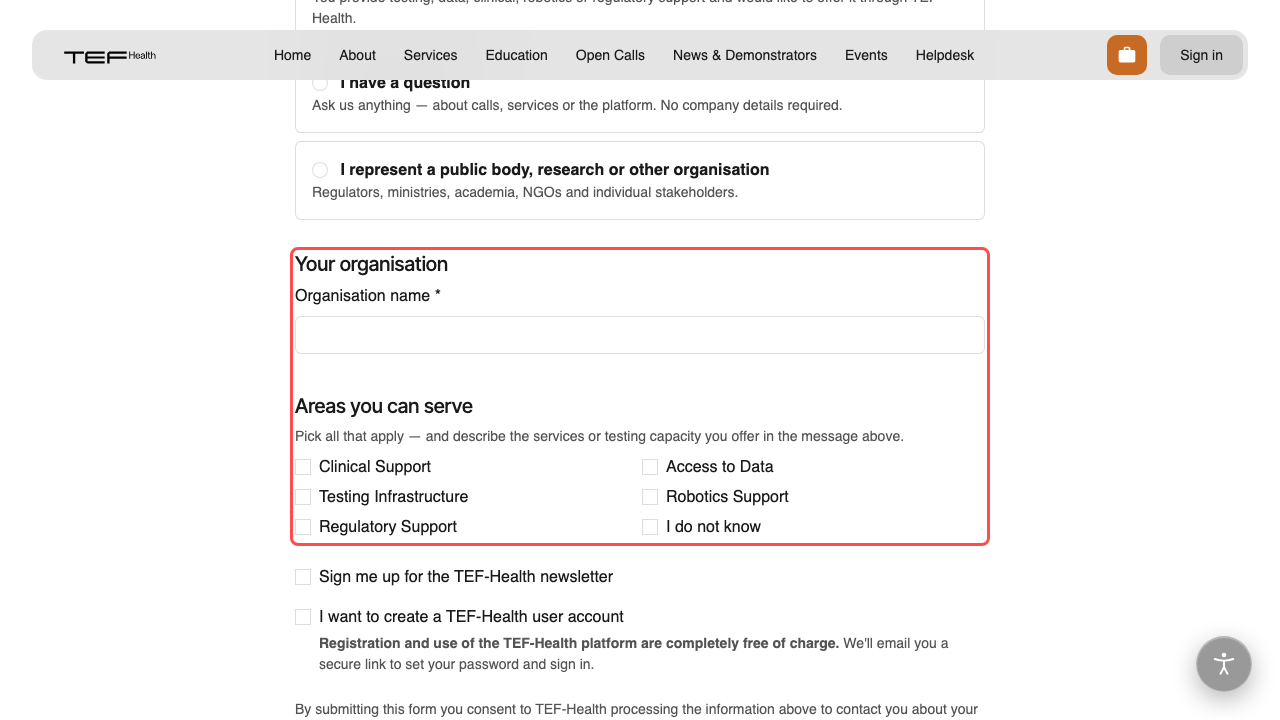
Open /get-in-touch and choose "I offer services and want to join the TEF-Health network" under What's this about?. It is a short form: your name and e-mail, your organisation, the areas you can serve, and a message. Use the message to say what you offer and who it is for — that is what the conversation starts from.
Tick I want to create a TEF-Health user account at the bottom and you are e-mailed an activation link; registration and use of the platform are free. Your enquiry reaches the TEF-Health Front Office either way, and they follow it up with you directly.
2. Account and organisation
Your account. Click the activation link in the e-mail and choose a password — that is the whole sign-up. If you would rather not wait, Create an account covers the self-service route; the Front Office can also invite you directly.
Your organisation. A service in the catalogue is attached to a registered provider organisation, and that record is created by TEF-Health rather than self-service. You will be asked for the details that appear publicly — legal name, country, website, contact address. Until it exists, there is nothing to attach your services to, which is why this step comes before the role request.
3. Request the Service Provider role
A new account starts with the base role, which can browse the catalogue but not publish to it. Open /portal/access-request, pick Service Provider, select your organisation, and give a short reason. A TEF-Health Coordinator reviews it and you are notified of the outcome by e-mail.
Full details, including what the other roles grant, are on Roles & permissions.
4. Joint Controllership Agreement (JCA)
Service requests carry the personal data of the customer who sent them, so the pages that show them — service requests, accepted requests and reporting — open only once your organisation has a signed Joint Controllership Agreement on file. Until then those pages show a JCA notice instead of the data.
TEF-Health arranges the agreement with you during onboarding. You can add and edit services before it is in place; you just cannot see incoming requests yet.
5. Add your services
From the Service Management dashboard (/portal/service_management), use Add Service and complete the form: what the service is, who it is for, what it costs at full price and — if you want to take part in an open Call — the reduced price.
A new service is submitted as a proposal and approved by a TEF node lead or a coordinator before it goes live. Once it exists, editing it is yours: what you publish reaches the catalogue immediately, and only call listings and reduced prices still need approval. The step-by-step walkthrough is in Managing your services.
Approved is not the same as published
After approval a service still needs Publish to appear in the catalogue — or tick Publish service in catalogue on the form and it goes live automatically on approval. Use Retract to take it down again at any time.
6. Customers find and request your services
Once published, your service is in the Service Catalogue alongside everyone else's. Customers select it and send a request — directly at full price, or under an open Call for a reduced price. Requests reach you through the Service Management dashboard; accepting one opens a service provision that you run through negotiation, contracting and delivery.
From here on, everything is covered by Managing your services.
Related
- Managing your services — the day-to-day workflow
- Your institution profile — your public page on the platform
- Client enquiries about your services — how customers reach you about a listing
- For Customers — what the other side of the marketplace sees