Becoming a Reviewer
You become a TEF-Health reviewer by completing the reviewer onboarding form once. A coordinator reads what you submitted and accepts it, which turns your portal account into a reviewer account with its own review queue. The public call for reviewers introduces the role to anyone who has not met TEF-Health yet.
What the role asks of you
| What you judge | The quality of the AI/robotics solution and its fit to TEF-Health. Eligibility, for example for State Aid support, is confirmed by the applicant and is not re-checked by you. |
| Time per review | About 30 minutes. |
| Deadline | Two weeks from the day a review is created for you. You can extend it once, by five days. |
| Workload | You say on the form how many applications you are willing to hold at once. |
| Confidentiality | You agree to the Code of Conduct on the form, and sign the Expert Contract with Charité, the TEF-Health coordinator. |
| Pay | None. The role is pro bono. |
Nothing here is permanent. Once you are a reviewer you can pause yourself for a while instead of stepping down.
Where the form lives
Two routes lead to the same onboarding record. Use whichever you were sent.
| Route | Use it when |
|---|---|
/portal/access-request, role Reviewer |
You are asking for the role yourself. Picking Reviewer replaces the node and organisation questions with the onboarding form. |
/portal/reviewer/onboarding |
Someone sent you the onboarding form directly. |
Either way you need a platform account first, so start at Registration if you do not have one.
What the form asks
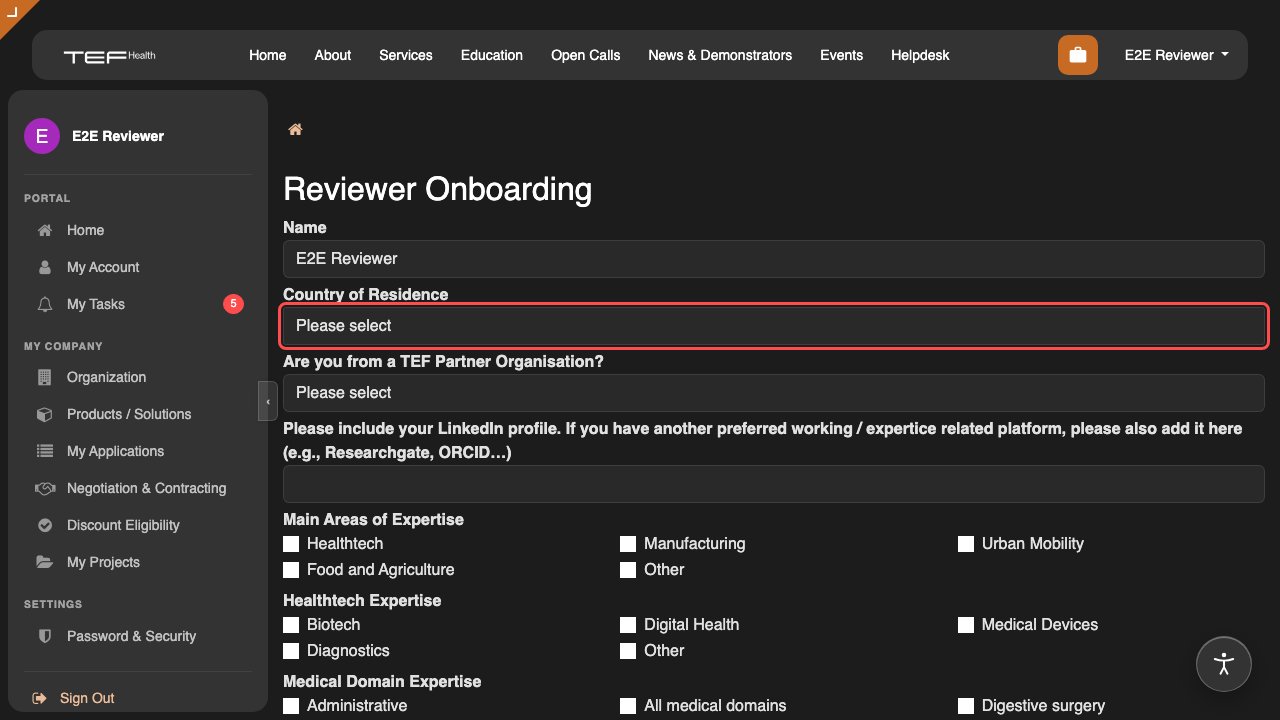
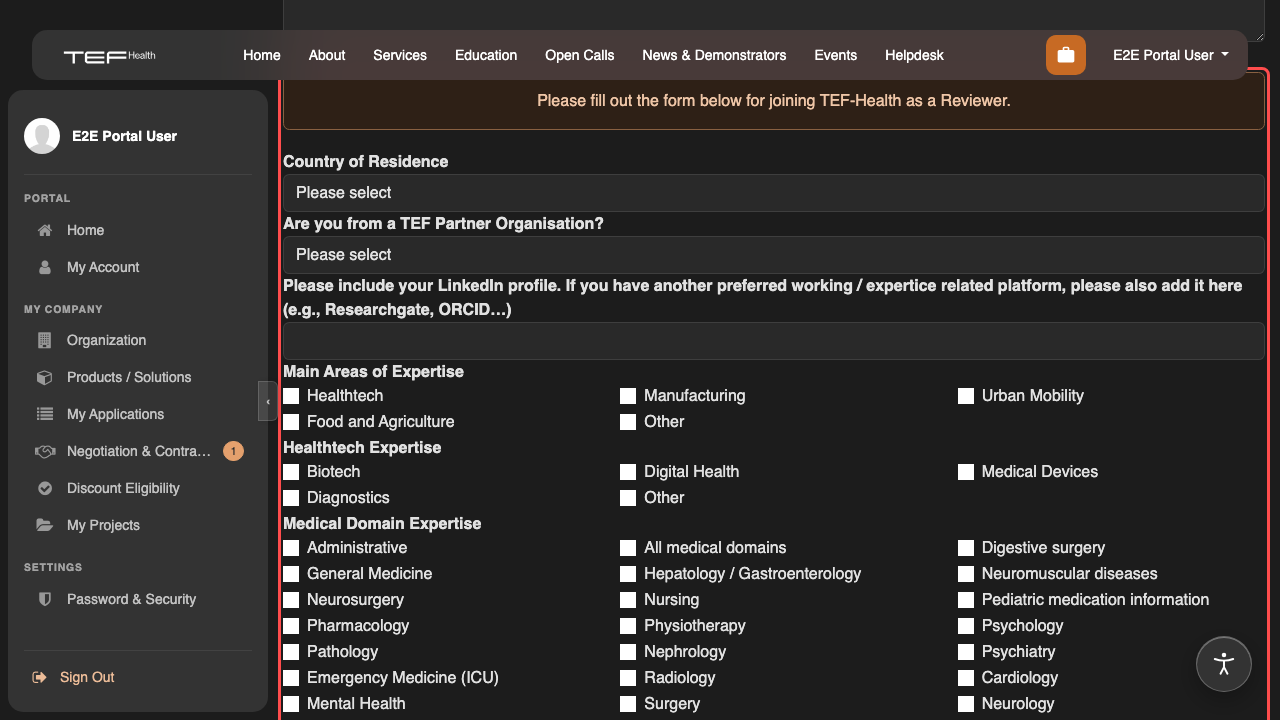
| Field | What it is for |
|---|---|
| Country of residence | Where you are based. |
| Are you from a TEF Partner Organisation? | Your institution, if you belong to one in the consortium. Leave it unset if you are an independent expert. |
| LinkedIn, ORCID or ResearchGate | The link the coordination team uses to check your background. There is no CV upload. |
| Main areas of expertise, Healthtech, Medical domain, AI, Other | Tick everything that applies. These selections become the expertise summary the Front Office reads when it looks for reviewers for an application, so they decide what you are asked to review. |
| Maximum number of applications you can review concurrently | From 3–5 up to more than 20. |
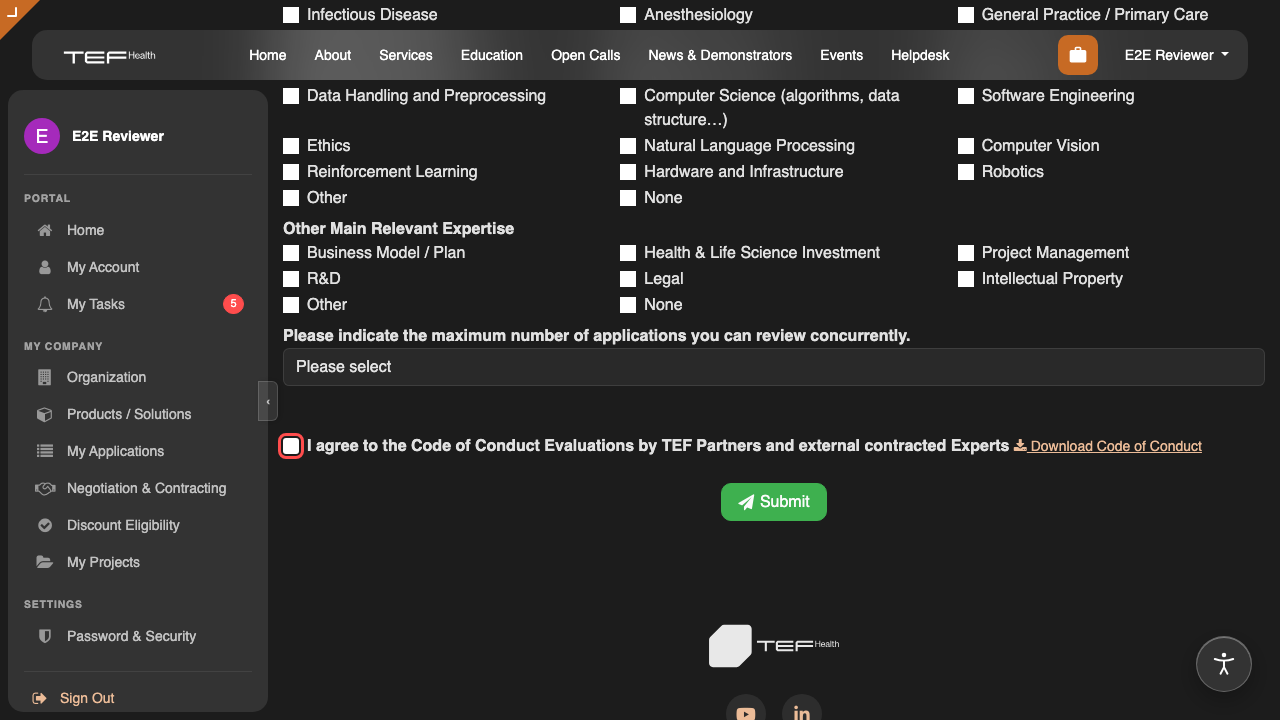
| I agree to the Code of Conduct | Required. Read the Code of Conduct for Experts online, or download the PDF from the link beside the checkbox, before you tick it. |
Submitting the form again overwrites the same record, so an incomplete first pass costs you nothing.
Code of Conduct and Expert Contract
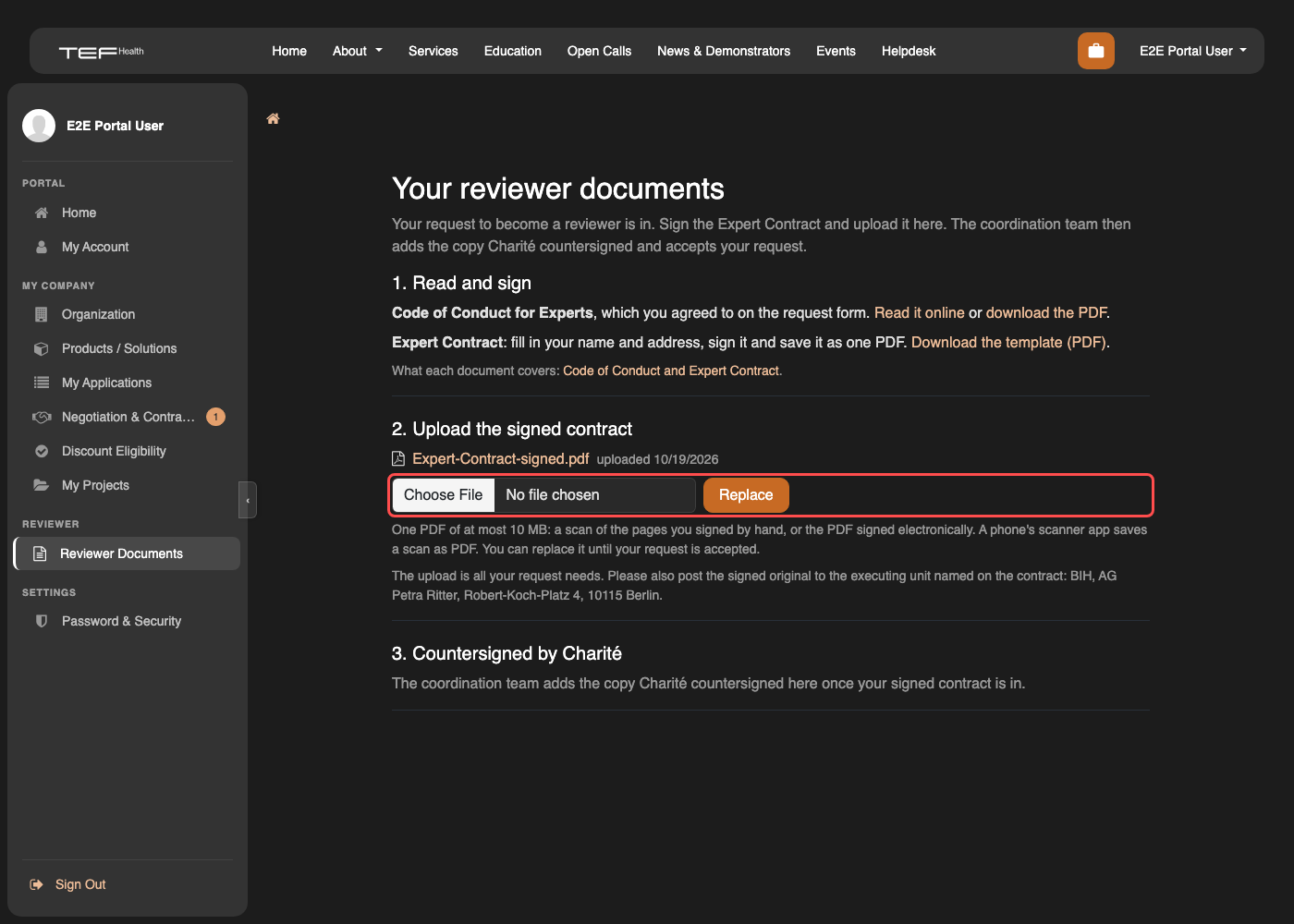
The form records your agreement to the Code of Conduct. Submitting it takes you to your reviewer documents page, where you download the Expert Contract, fill in your name and address, sign it and upload it as one PDF of at most 10 MB. The coordination team checks the signature and adds the copy Charité countersigned. A coordinator accepts you once both are in, which is why an account can sit as an applicant for a while after the form is submitted. Code of Conduct and Expert Contract describes what each document covers.
What happens after you submit
- You land on your reviewer documents page, which stays under Reviewer Documents in the portal menu.
- The coordinators are emailed everything you entered.
- You sign the Expert Contract and upload it there as one PDF: a scan of the pages you signed by hand, or the PDF signed electronically. A phone's scanner app saves a scan as PDF. The coordinators are emailed again, and you can replace the file until your request is accepted. The upload is all your request needs; please also post the signed original to BIH, AG Petra Ritter, Robert-Koch-Platz 4, 10115 Berlin, the executing unit named on the contract.
- The coordination team adds the copy Charité countersigned, and a coordinator accepts your request with Accept as Reviewer in the backend.
- Your account changes from portal to internal access and joins the Reviewer group, and your expertise selections are copied onto the profile the Front Office sees in the reviewer picker.
- You receive the Welcome as Reviewer mail, which links to your review dashboard.
Submitting gives your account the Potential Reviewer role, which opens the documents and nothing else. Until a coordinator accepts you, you keep the roles you already hold. To correct something before then, open the form again and resubmit it. If the coordination team needs anything else, they write to you by email. If a coordinator has closed your request, sending the form again updates your details but does not reopen it: write to info@tefhealth.eu.
You are only asked to review the calls you agreed to
Coordinators can restrict your assignments to particular calls. Tell them which calls you want, and the Front Office picker will only offer you for those. Left open, you can be assigned an application from any call.
Your first review
Reviewing Applications covers the rest: where your queue lives, accepting or rejecting an assignment, the scoring criteria for each call, and the two screencasts of a full review.